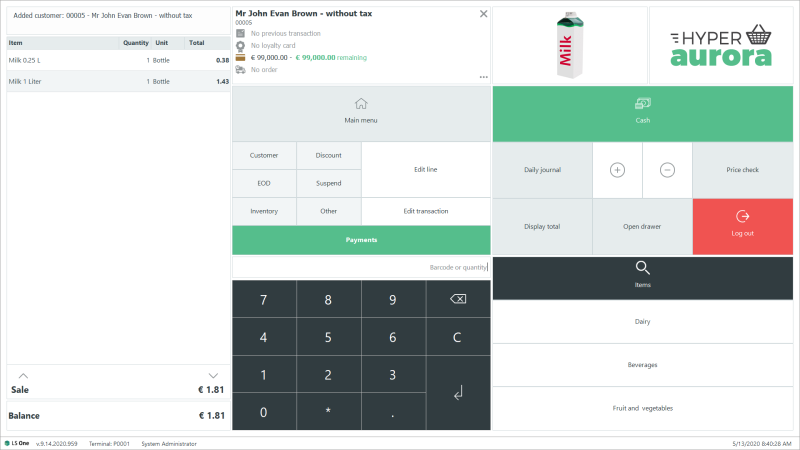
Item image on the POS
The image appears in the item image area on the POS when the item is added to a sale.
Image: Item image on the POS
How to add the Item Image Area to the POS Touch Button Layout
 On the LS One POS
- Log in to POS
- Find an empty button or change the functionality of some button (remember to change back to the original operation)
- Right-click this button and select button properties
- In the Button properties dialog select the Design mode enable operation.
- Press Ok
- Now press the button
- Drag and drop itemImageitem part into the Touch button layout
- Close the Customization dialog
- Press Yes to save the layout
In the Site Manager
- Log in to Site Manager
- Select Store setup > Look and feel > Touch button layouts > Select touch button layout
- Click on Change design
- Drag and drop itemImageitem part into the Touch button layout
- Click on Save
- Log out and back in to the POS
| Updated: | June 2020 |
| Version: | LS One 2020 |

